Sharper DJI 360 panoramas from the drone's RAW frames
The sphere DJI Fly saves is small and soft when you zoom in. Your drone keeps every original frame on the SD card, and those frames hold four times the detail. Here is where they are and how to turn them into a sharp 360 panorama, on your phone or your PC.
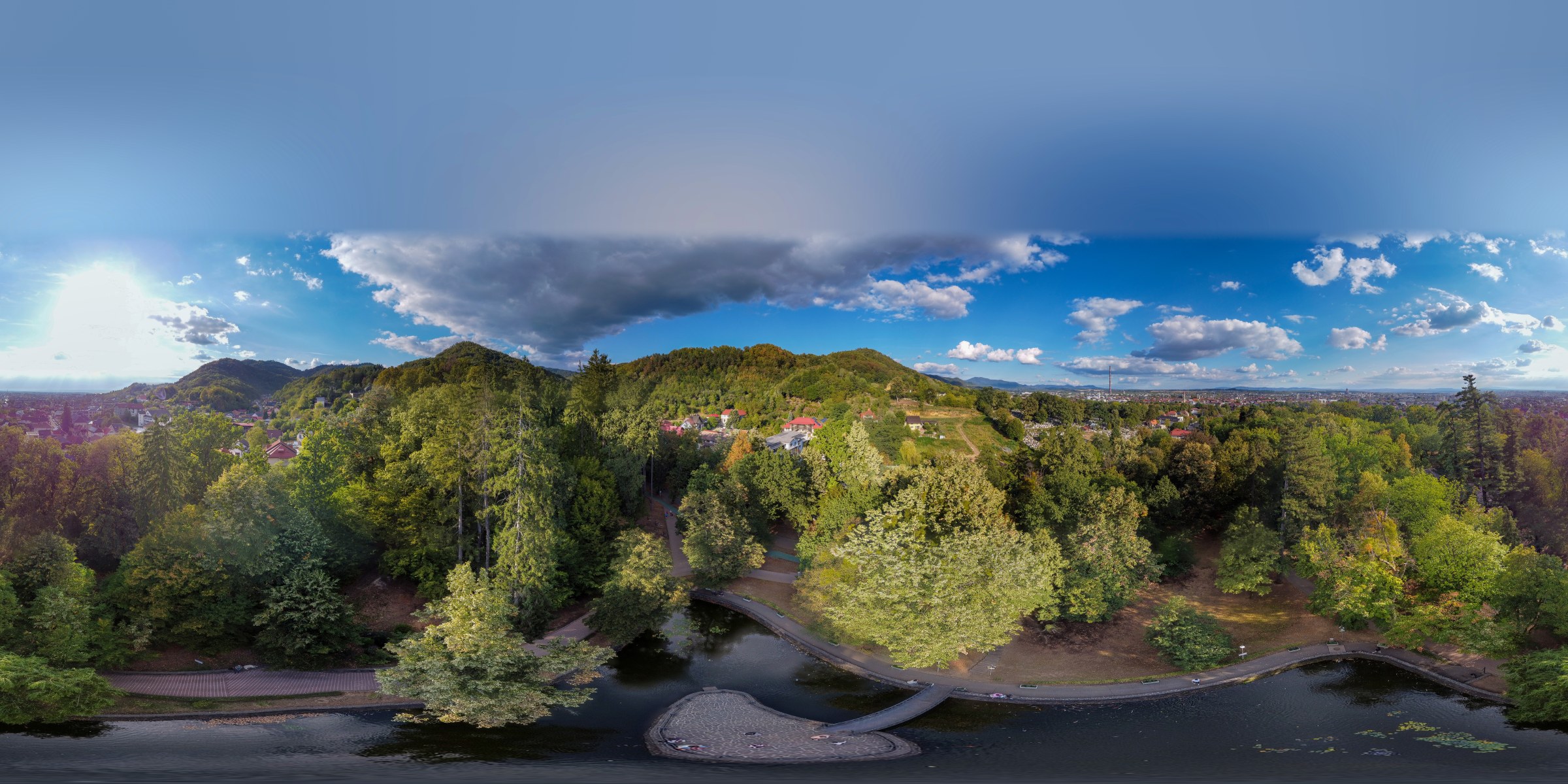
DJI Mini 2 · 26 DNG frames · 16384 × 8192 · stitched on an Android phone
Why is the DJI Fly 360 panorama blurry?
The sphere you see in DJI Fly is a quick preview-sized stitch. It is built from compressed photos and saved at a reduced size:
| Drone | DJI Fly sphere | Sphere from the original frames |
|---|---|---|
| DJI Mini 2 · Mini 2 SE · Mini 4K | 4096 × 2048 | 16384 × 8192 |
| DJI Mini 3 Pro | 8192 × 4096 | ≈ 16500 × 8250 |
| DJI Mini 4 Pro | 12000 × 6000 | ≈ 16500 × 8250 |
On a phone screen the difference is small. In a 360 viewer, as soon as you zoom in on a house, a road or a person, the DJI Fly sphere turns to mush. Drag the line to compare the same spot:
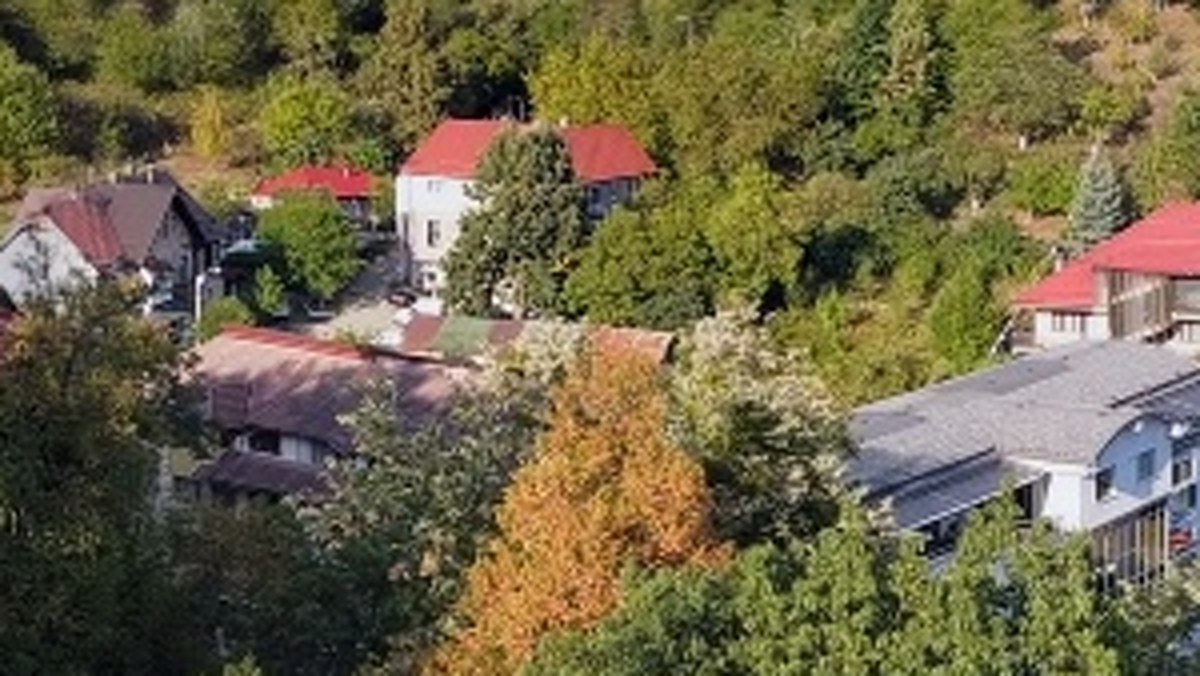
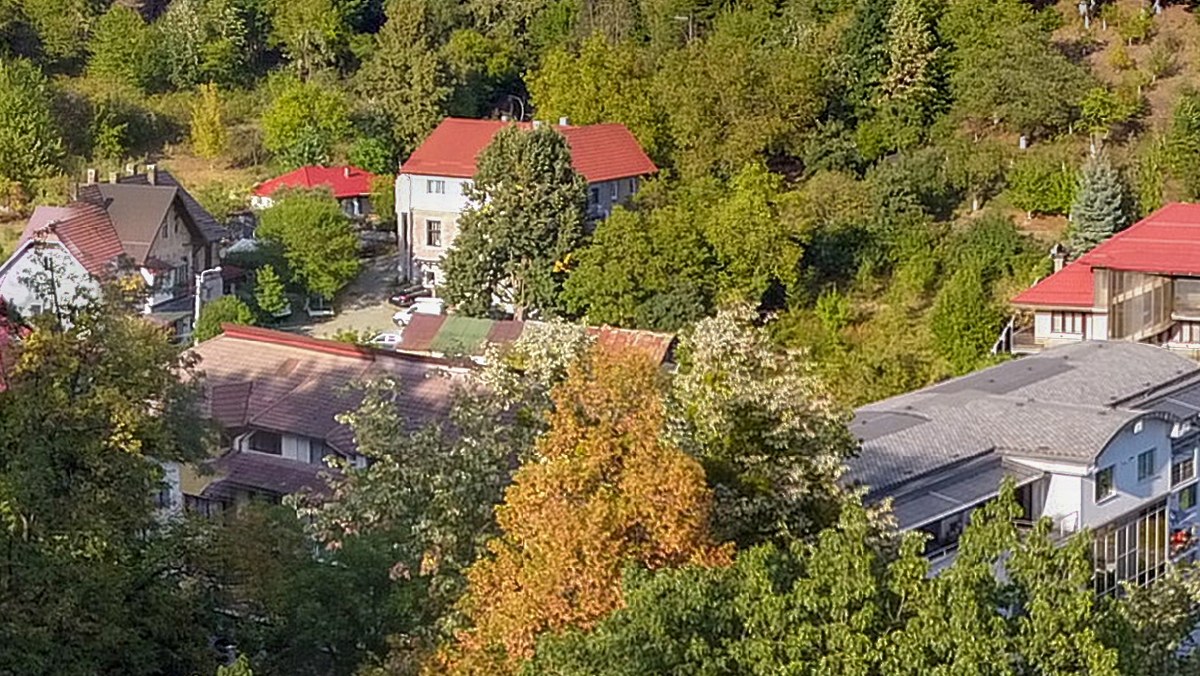 DJI Flyzenpano
DJI Mini 2 · same flight · 1:1 crop
Why does the DJI Fly sphere show doubled objects, broken lines and fuzzy patches?
Small size is not the only problem. The DJI Fly sphere often shows:
- doubled objects: a car, a tree or a roof edge appears twice, half transparent;
- broken lines: a road, a fence or the horizon jumps sideways where two photos meet;
- fuzzy patches: areas smeared or blurred while the rest of the sphere is sharp.
They come from things that move or sit close to the drone while it turns: people, cars, waves, clouds, nearby trees. In DJI Fly you can only accept the result. In zenpano you mark the spot and pick the version that looks right, and the rest of the panorama stays as it was.
Where are the original DJI panorama photos on the SD card?
Every sphere the drone shoots is also saved as separate photos, in the PANORAMA folder of the card (DCIM\PANORAMA), one subfolder per sphere:
- Mini 2, Mini 2 SE, Mini 4K: 26 frames,
DJI_0001toDJI_0026, as JPG and, if the photo format includes RAW, also as DNG. - Mini 3 Pro, Mini 4 Pro: the sphere frames as DNG files when the photo format is set to RAW (or JPG + RAW).
Copy the whole subfolder to your phone or PC. The DNG (RAW) files are the best source: more detail in the shadows, cleaner skies and more room to edit afterwards.
How do I stitch a DJI 360 sphere from the DNG files?
With zenpano, on Android or on Windows:
- Choose the folder with the sphere's frames. zenpano recognises the drone by itself.
- Start the panorama. A Mini 3 Pro sphere of 35 DNG files takes about two minutes on a recent phone.
- Repair a spot by hand if something moved between frames, like a cloud or a car: mark the area and choose the version that looks right.
- Close the sky. The gap at the top is filled and the panorama is ready for Kuula, Google Maps, Facebook or any 360 viewer.
No PC is needed: on Android everything, from the card to the finished sphere, happens on the phone.
How do I fill the hole at the top of a drone 360 panorama?
A drone cannot photograph straight up, so every drone sphere has a hole at the zenith. DJI Fly blurs it over; most desktop stitchers leave it black. zenpano fills it right after stitching, with a sky that matches the rest of the panorama, so the sphere looks complete when you look up in a viewer.
Which DJI drones are supported?
- DJI Mini 2, Mini 2 SE, Mini 4K: from the JPG or the DNG frames.
- DJI Mini 3 Pro, Mini 4 Pro (beta): from the DNG frames. The panoramas come out ready to use, with colours close to the DJI Fly sphere.
- DJI Mavic Air (beta): from the DNG or the JPG frames (25 per sphere).
Have spheres from another DJI drone? Send a set through the feedback form.
Try it on your own spheres
Free trial for Android and Windows: no limit on panoramas, each one carries a «zenpano · trial» watermark until you enter a licence key.
Download zenpano