360 spheres from your drone's RAW files, with far more to work with
For every sphere the drone also saves 26 DNG files. zenpano builds the panorama from them, on your phone: far more information than the original JPGs, more freedom for a quick edit, and 16384 px wide instead of 4096.
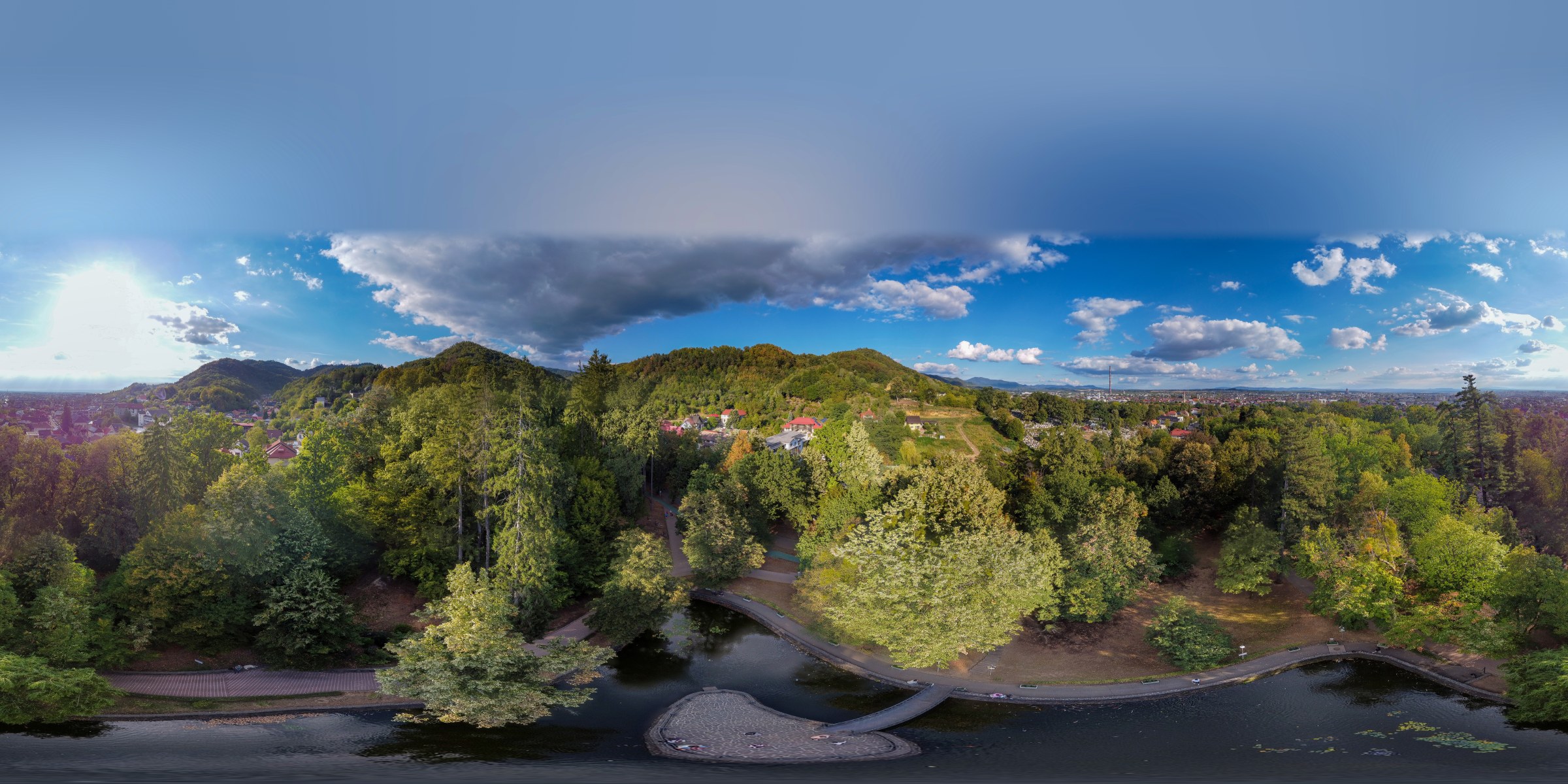
Park, 36 m above ground · 26 DNG frames · 16384 × 8192 · made on the phone, cap closed
Look around
A sphere made with zenpano (DJI Mini 2). Drag to look around.
Drag the line
Same flight, same spot, zoomed in. Left: the panorama saved by the DJI Fly app. Right: zenpano.
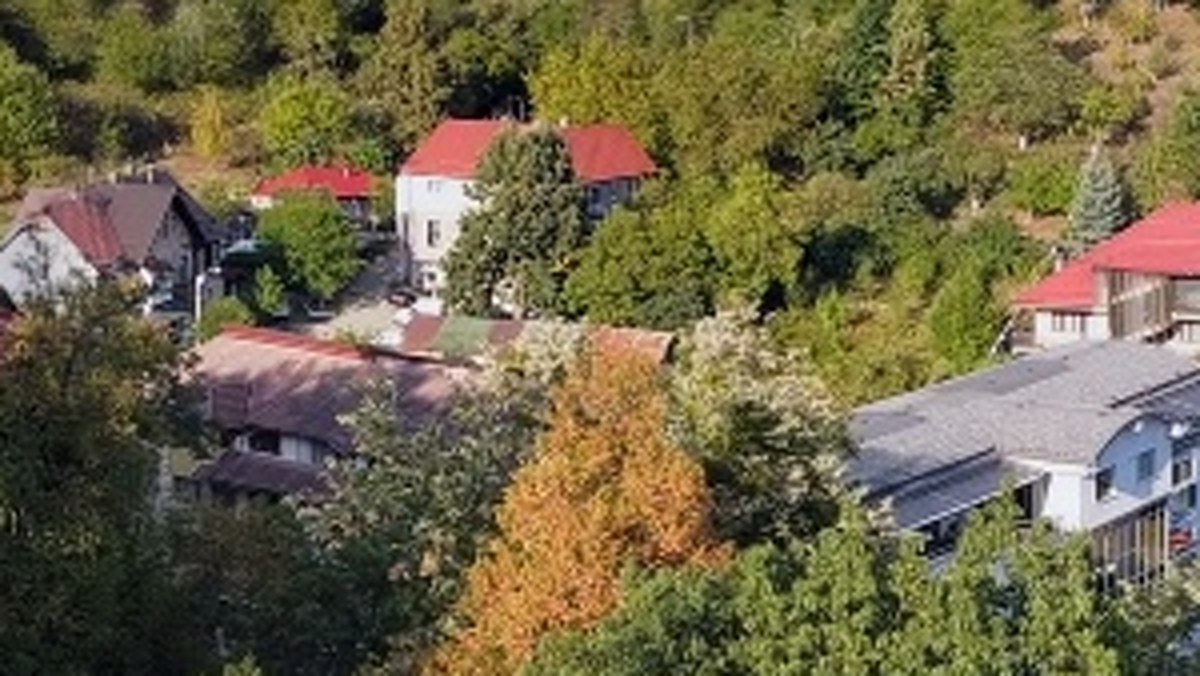
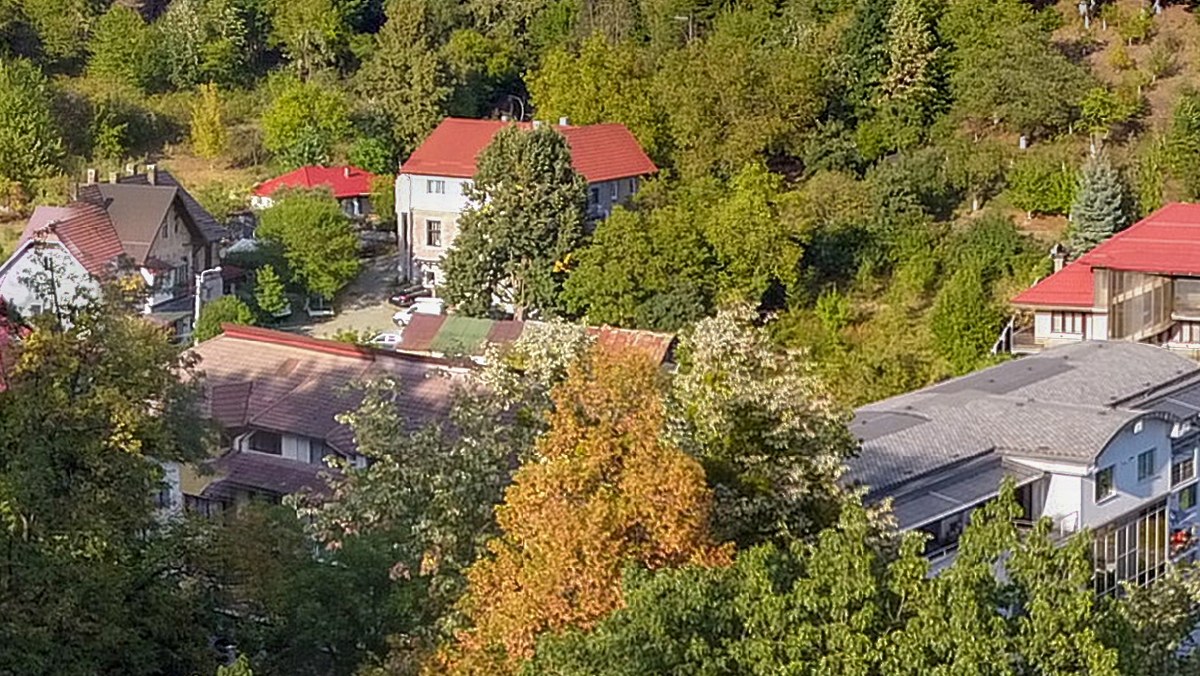 DJI Flyzenpano

 DJI Flyzenpano

 DJI Flyzenpano
Fix a seam yourself
When two frames don't meet cleanly, mark the spot and pick the version that looks right. Left: as stitched. Right: after one repair, done in the app.

 BeforeAfter repair
Little planet
One tap after the sphere is done: the ground in the middle, the sky around it. It is made as fine as the panorama itself, about 16000 × 16000 px, so you can still zoom in.

On the phone and on the PC
Choose the folder, pick the source, tap once. When the sphere is ready, repair a seam if you need to and close the sky, all in the same app.


Download and try it
Free trial: no limit on panoramas, but each one carries a «zenpano · trial» watermark. A licence key removes it. A key is made for one device, a phone or a computer: open «Activate» in the app, copy the device code shown there and send it in the feedback form.
Android · Mini 2 / 2 SE / 4K / Mini 4 Pro / Mini 3 Pro / Mavic Air
Download the APKInstalls outside the Play Store: allow «install from unknown sources» when Android asks.
Windows · Mini 2 / 2 SE / 4K / Mini 4 Pro / Mini 3 Pro / Mavic Air
Download for WindowsA single .exe, no install. Windows SmartScreen may warn: «More info» → «Run anyway».
Why I built it
I've flown DJI drones for years: 1,500+ flights, 260+ hours in the air, over 100,000 photos, about 90% of them shot for 360 spheres. I started with a Spark, before DJI had a photosphere mode, and I've stitched thousands of spheres since. The sphere from the app was never sharp enough, so I built the tool I wanted for myself.
Early version, looking for feedback
zenpano runs on Android and on Windows. If you fly a Mini 2, Mini 2 SE, Mini 4K, Mini 3 Pro, Mini 4 Pro or Mavic Air and want to try it, or have sphere sets from a Mini 3, Mini 3 Pro or Mini 4 Pro to share, tell us in a short form:
Give feedback · 2 minutesGuide: sharper DJI 360 panoramas from the RAW (DNG) frames →